by Ethan Lewis
October, 2001
This introduction is for everyone who wants to learn the basics of how most word-processing programs work. It is also a good introduction to how to use any computer program.
A word processing program is a good introductory program to learn for two important reasons:
This introduction will refer to the Microsoft Word 2000 for Windows; however, everything covered here will work virtually identically for any word processing program on any brand of computer. If you are using a different word processing program you may find that the screens look a bit different, and that some commands will appear in different menus, but without too much searching you should be able to find the equivalent commands no matter what program you are using. The following skills will be covered:
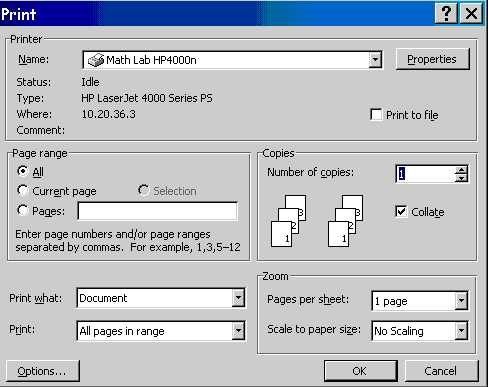
When you start up a word-processing program, a window will appear for entering text, with a ruler above to indicate the paper width. You will probably also see lots of little buttons with pictures on them, as seen below. The buttons are shortcuts to certain popular commands. If you hover your mouse over these buttons (without clicking) a little tag will appear telling you what the button does.
The cursor (called a 'flashing i-beam') will blink on an off, indicating the
text insertion point. Anything typed will appear at the insertion point. By
clicking the mouse within the typed text, you can reposition the cursor. Additional
text can then by typed, or text can be deleted:
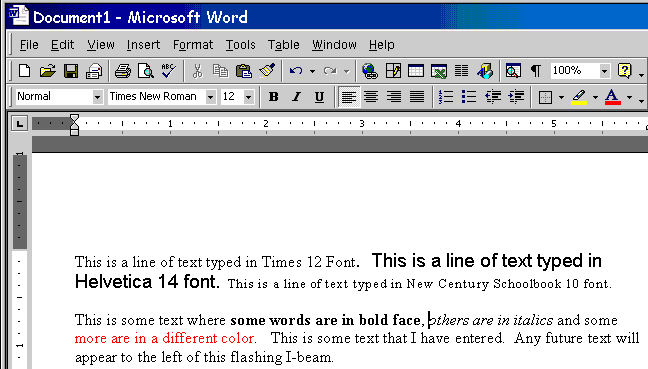
To save your work, choose the Save option from the File menu. This will display a window where you can type the name you wish to give the file, choose the format of the file, and select the disk or folder where you want to save the file. There are more tips about saving your work here.
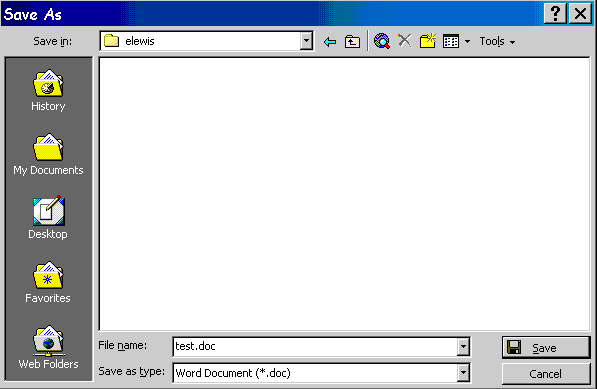
To print your work, choose the Print option from the File menu. This will display a window that allows you to control what part of the document will be printed. Use the triangle at the top of the page (in the Name field) to choose from the printers that are available to your computer.